 Pocket Planner
The planner app that feels like entering your own universe.
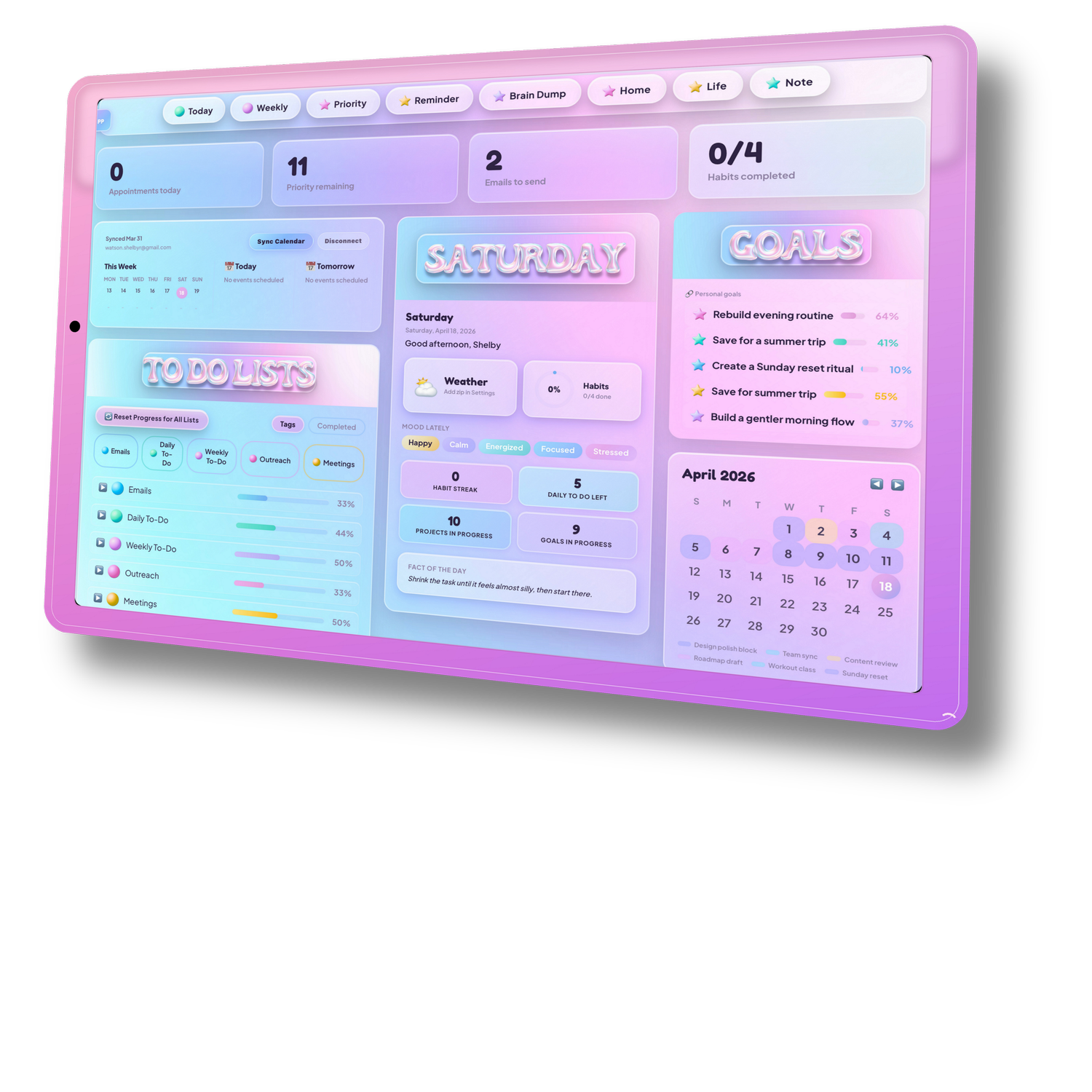
You build it during onboarding. You launch it when it's yours. A real planning system for ADHD brains, already shaped around your tasks, habits, goals, schedule, and notes.
 pocketplanner.app
 Improve hair health
 Online certification
 Pay off $2k debt
 Creative hobby
 Land a new jobPlan dayCheck slackCheck emailReview calendarUpdate to-do listSend daily recap
Flexible doesn't have to be shapeless. Structured doesn't have to be rigid.
Pocket Planner has balance.
Four dashboards. One universe.
Each one is a built-in workspace shaped for a different kind of thinking.
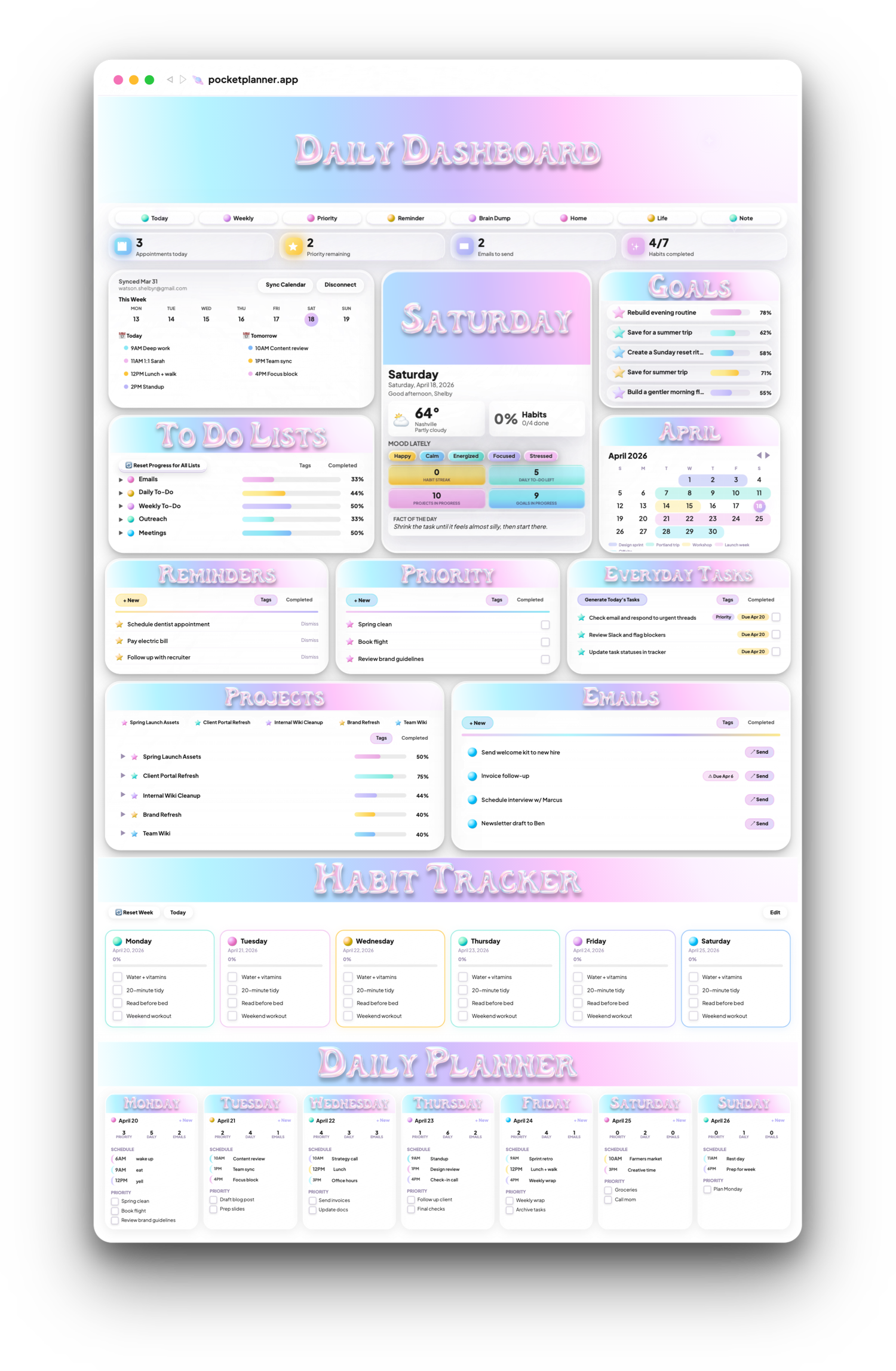
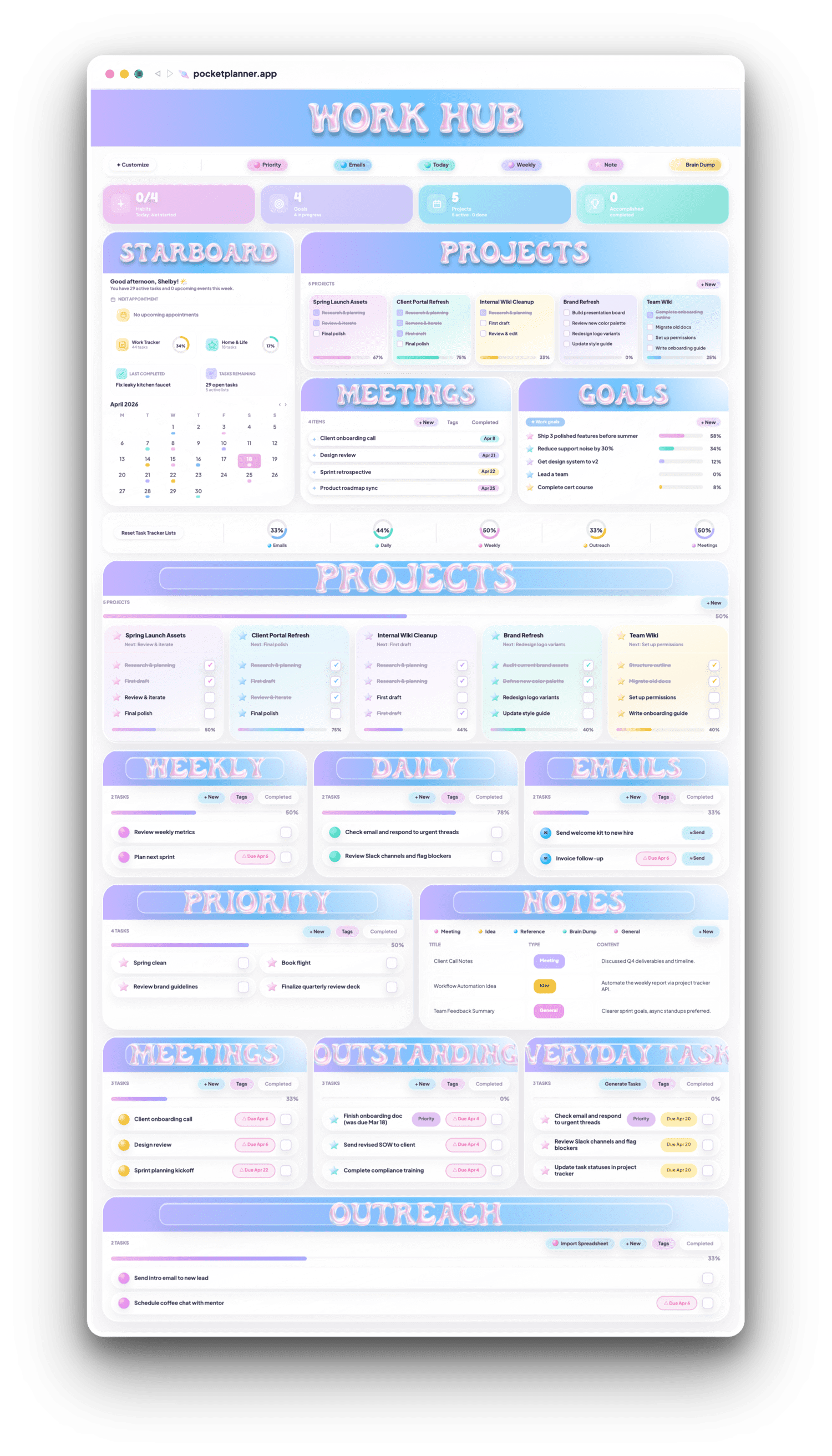
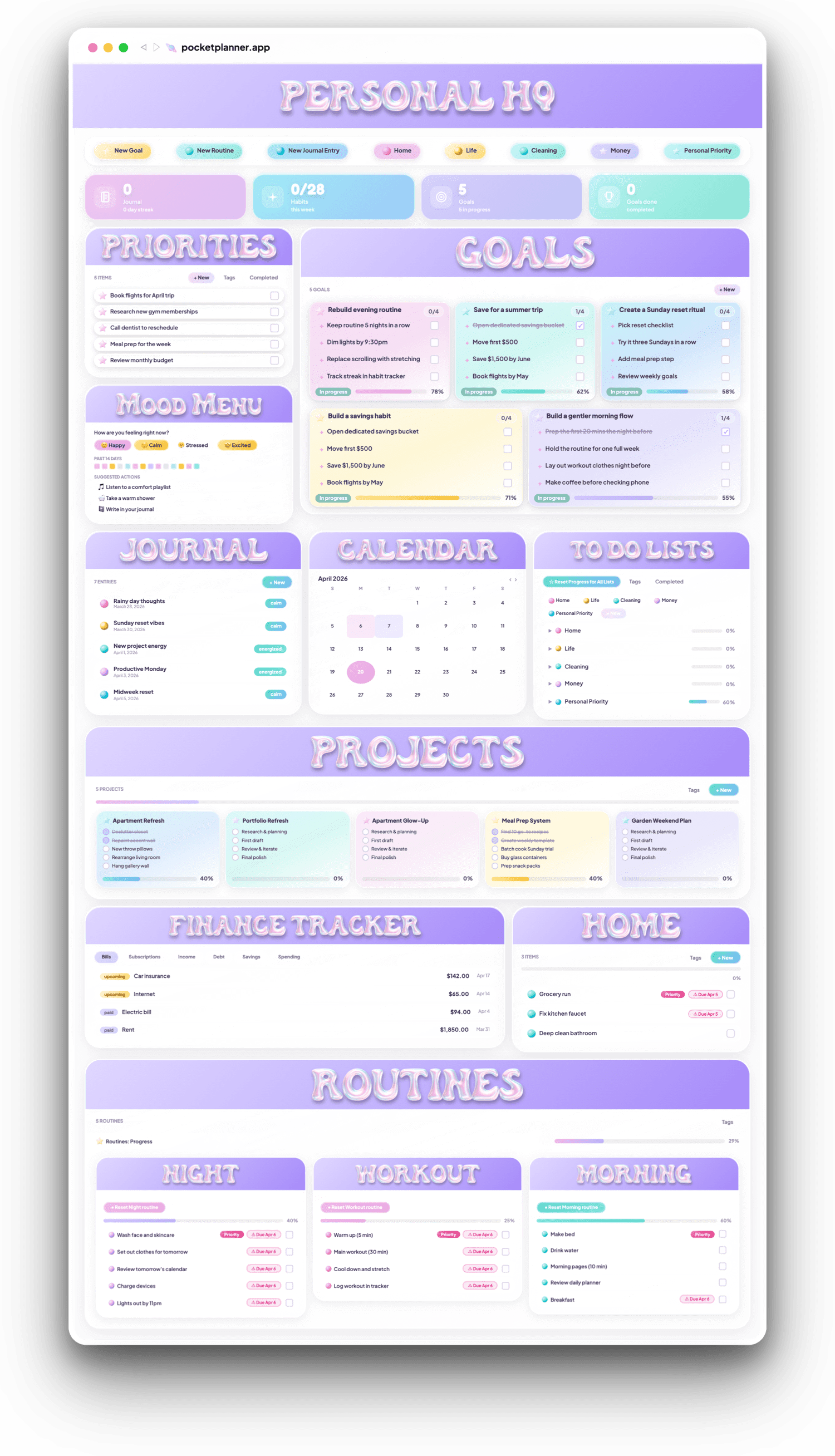
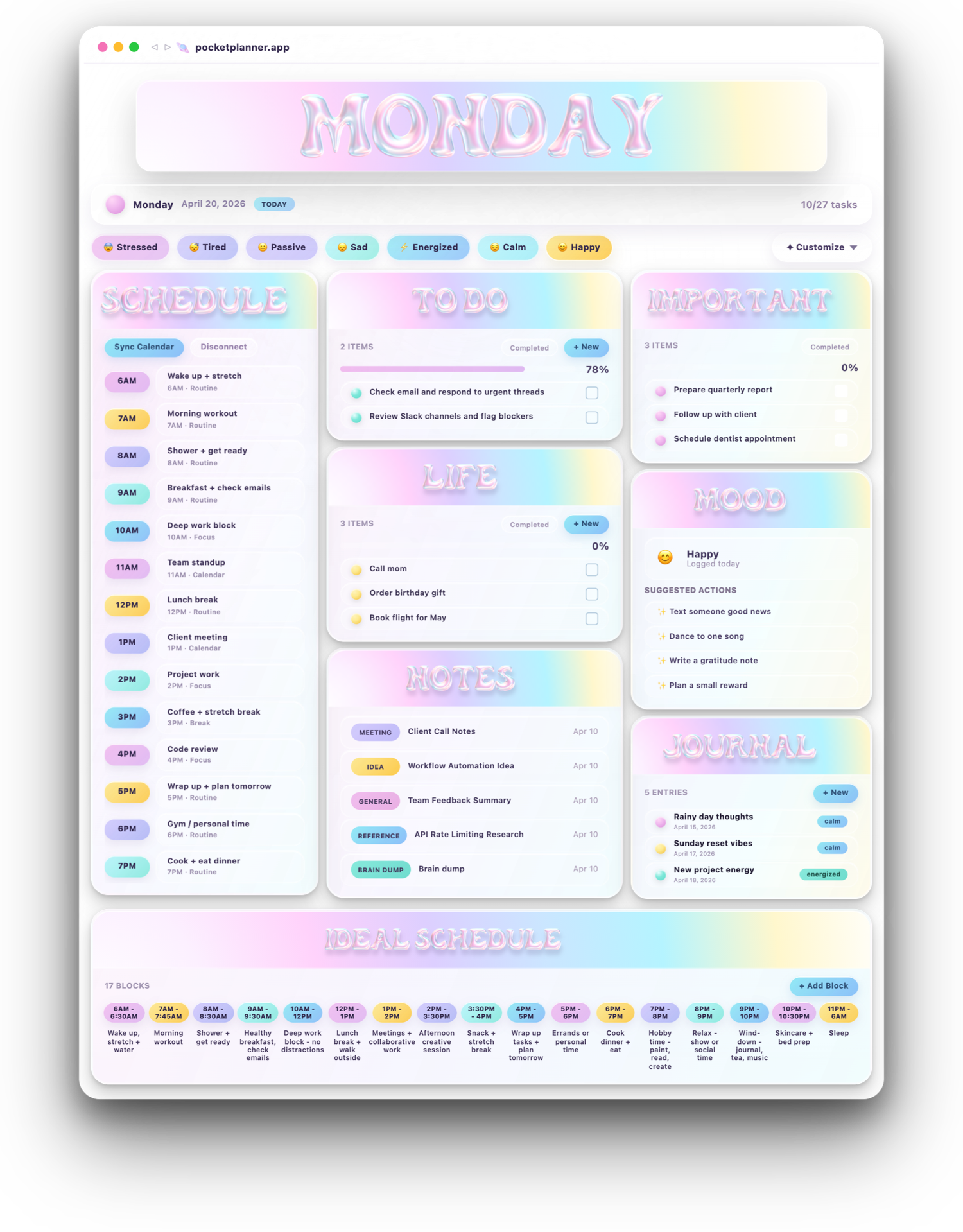
12 bright spots saved. Grateful led the week.
A private space dedicated entirely to good feelings — the kind your brain forgets before it gets a chance to hold on to them.
 Save bright spots as they happen. A kind word, a proud moment, a win you'd normally brush off — drop it in a pocket before it disappears.
 Sort by emotion, not just time. Proud. Grateful. Magic. Calm. Each pocket collects a specific flavor of good.
 Reach in when you need a lift. Slips replay like memory cards — a reminder that good things really did happen.
 Watch your sunny streak grow. Sunboard tracks your week: which pockets you filled, how many days felt bright.

Pockets of Sun
A bright little place for the moments you want to keep close.
Life moves fast. The small good things — a kind word, a proud moment, a quiet afternoon — slip away before you catch them. Pockets of Sun gives them somewhere to land. Eight emotional pockets, ready whenever you need a lift.
Grateful Proud Growth Love Magic Calm Shine Rest
Grateful
Growth Love Magic Calm Shine Rest
GratefulRemembered to call my mom today. She sounded really happy.
ProudFinished the project a whole day early.
GrowthAsked for help instead of struggling alone.
LoveMagicCalmShineRest

A private universe for everything you're learning — four stages for every curiosity, plus a direct line to real work.
-
Discovery List. Things you want to learn about. Save it the second it catches your eye so future you can actually dive in.
-
In Motion. The things you're learning right now — open courses, half-read articles, the thing you're actively working through.
-
Resources. What you're learning from — the articles, videos, and tools you're actively using as source material.
-
Vault. Things you've learned. The mastered library — proof of what you've absorbed and a home for the keepers.
-
 Tied to real work. Link any entry to a goal or project so learning ladders straight into doing — not another forgotten tab.

A private universe for the things you're learning.
Articles, videos, courses, tools, ideas — save them the second they catch your eye, then move them through four stages as you actually dig in. Learning that lands instead of piling up in tabs.
Article Video Course Book Tutorial Tool PDF Note
Discovery
8
Video
Book
Article
In Motion
3
Course
Article
Note
Resources
7
Tool
PDF
Tutorial
Vault
5
Book
Course
Article
You've tried everything. Nothing stuck.
Every app made you choose between structure, beauty, or actually fitting your brain.
Choose your lists
Pick your habits
Set your goals
Shape your widgets
Only see what you want to see.
Make it look like you
Rearrange & make it work like you
 Notes
Notes
The structure is built in. The surface is yours.
Upload your own banners — even GIFs. Pick backgrounds per dashboard. Choose from five gradient themes and four icon color packs.
Name a list once. Watch it become a widget.
One name during setup becomes a 3D widget header, a Quick Capture button, and a live piece of your system. Already yours before you’ve added a single task.
One planner. Not ten apps.
Calendar, journal, tasks, habits, goals, notes, spreadsheets, mood — all of it lives here.
Quick Capture.
Eight tap-and-go buttons — five locked, three swappable — send a thought straight to any list.
Work and life, side by side.
Two priority lists. Two habit trackers. Every list and database is tagged. Real separation in one planner.
Drag. Rearrange. Reshape.
Move tasks between lists. Drag widgets to new spots. Reshape zones from 2 cols to 3 to full width.
Routines for when your brain can't improvise.

Stop hunting for the number you need.
Your smart sidebar lives on your Work Hub and Daily Dashboard. We call it Starboard. You set it up once. It's just there every time you open the app.

The system works. Here's proof.
Pocket Planner started as a Notion template. Here's what people said about the system before it became an app.
"You can just FEEL how passionate she is about it. I couldn't have asked for a better template for my diagnosed ADHD!!"
Hailey"The whole thing was made for neurodivergent people, unlike some others where they just put 'adhd' in the title to sell a product. This planner is so colorful and engaging."
Carlina"As someone who is in Grad School but also working towards personal life goals, this planner hit all the marks for me."
Graceor $99/year
After your 7-day free trial. Cancel anytime.
One connected system for tasks, habits, schedule, goals, mood, and notes. No stitching apps together. No building from scratch.
Build your world. Launch your planner.
Finally land somewhere that fits.
Built for the way your brain actually works.